
Vanguard Error Codes Explained: VAN 185, VAN 1067, VAN 135, VAL 5 and More
VAN 185 is a Riot Vanguard error that usually points to a session or connection issue among the game, Riot Client and Vanguard, according to Riot's support page checked September 30, 2026. VAN 1067 and VAN 135 describe different startup or readiness problems. VAL 5 belongs to Valorant's client error family, whose published list Riot currently calls out of date. Use the exact displayed code to reach the matching support page.
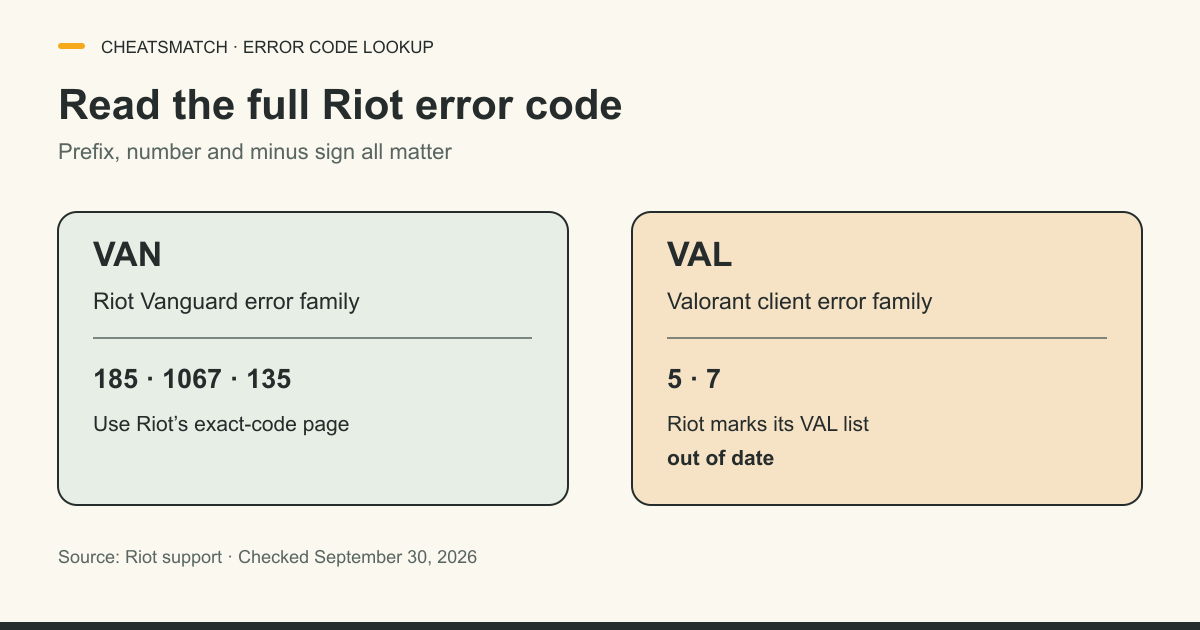
VAN and VAL are different error families
Riot's Vanguard error index separates VAN errors from VAL errors. A message beginning VAN belongs to the Vanguard code family; a message beginning VAL belongs to the Valorant client error family. The number alone is not enough. VAN 59 and VAL 59, for example, are different lookups in Riot's index, and a missing minus sign can change which entry you reach. Copy the full code exactly as displayed before searching.
The Vanguard index groups codes by negative numbers, VAN 0-99, VAN 100-8999 and VAN 9000 or higher. Its purpose is to send a player to the dedicated page for the displayed error. The article here combines several high-interest codes so readers can see what kind of issue Riot describes and where a more specific guide begins. It does not replace the publisher's live instructions. The Valorant game comparison covers provider-reported listings for that game; a comparison page cannot diagnose a Riot Client session or account state.
VAN 185: session or connection issue
Riot's VAN 185 page says the code usually points to a session or connection issue between the game, Riot Client and Riot Vanguard. “Usually” matters: the code identifies Riot's support branch, not which component failed on one PC. Riot's page lists the messages it covers, including a connection error during Valorant and an unexpected Vanguard error. Both point to the same code-specific article.
Riot starts its support sequence with baseline game requirements and the Riot Client session, then moves through device, connection and reinstall checks. This guide does not compress that sequence into a universal fix or tell a reader to change security settings. Open Riot's VAN 185 page and follow its current order. If the code persists, Riot asks for a Player Support ticket with logs. The Riot Vanguard system profile describes the anti-cheat and its operating modes; that background is separate from resolving VAN 185.
Sources: [3]
VAN 1067: startup or system-check issue
Riot's VAN 1067 page says Vanguard usually encountered an unexpected issue while starting or checking in with the system. That differs from VAN 185's usual session or connection description. The VAN 1067 article includes Windows, Riot Client, service, software and connection checks; their presence does not prove any one of those caused a particular error. Use the exact code-specific page for the current sequence.
The service advice has an important condition. Riot says users who do not use Vanguard Pre-Check for on-demand operation need its vgc service set to Automatic. That is not an instruction for every Vanguard installation. Riot's June 2026 on-demand announcement describes optional driver operation for qualifying PCs, and its VAN 1067 support page preserves that distinction. If a player has chosen Pre-Check, blindly applying the standard startup step would ignore the mode they selected. Riot directs persistent cases to a ticket with logs.
VAN 135: readiness or initialization issue
Riot's VAN 135 page says Vanguard usually could not verify that the PC was ready to run the game or encountered an issue while initializing. Riot does not say that this code alone identifies a broken TPM, a cheating sanction or a single Windows setting. The dedicated page presents its own order of Windows, Vanguard and connection checks and asks for logs if the error continues.
VAN 135's service step carries the same on-demand qualification as VAN 1067: Riot says to set vgc to Automatic if the user does not use Vanguard Pre-Check to run on demand. Read that condition before treating the service setting as a default instruction. A code that mentions readiness is a prompt to read Riot's specific diagnostic route, not evidence that every security feature listed elsewhere is required on every PC. If the on-screen code changes between launches, preserve both exact strings when describing the problem to Riot.
Sources: [5]
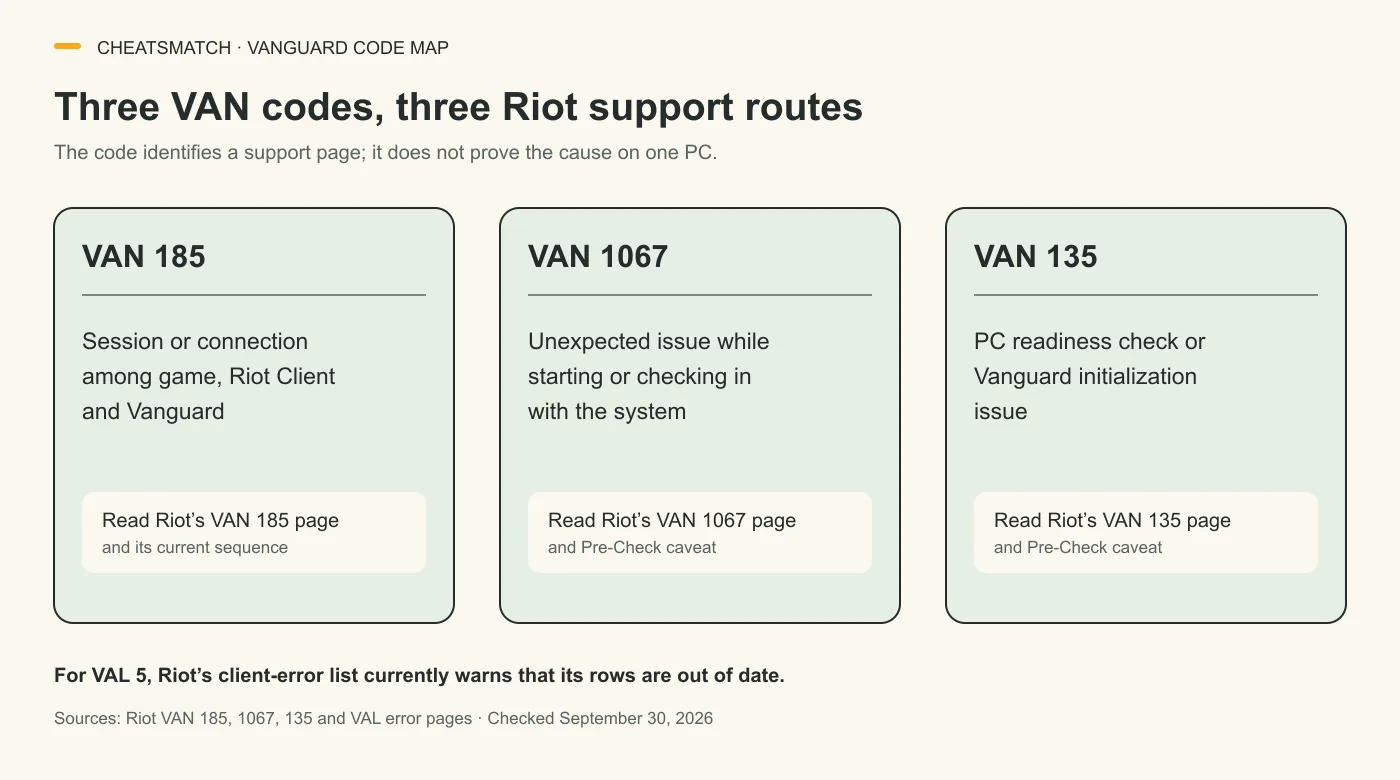
VAL 5: Riot's list is currently out of date
Riot's Valorant error list explicitly says it is currently out of date and that a recent issue can cause Valorant errors to display incorrectly. Although the table historically associates code 5 with an account logged in elsewhere, the warning prevents a firm current diagnosis from that row. Seeing VAL 5 should lead to Riot's current support route, not to an assertion that someone else accessed the account.
The prefix matters here too: VAL 5 is listed on Riot's Valorant client page, not in the Vanguard VAN index. The same caution applies to VAL 7 and the other rows under the warning. Riot recommends submitting a ticket while the display issue is unresolved. Include the exact text and code shown, because a stale mapping and an incorrectly displayed error are different uncertainties. The broader games directory contains comparisons for covered games; it is not a Riot status page or an account recovery tool.
Other codes need their exact Riot page
Riot's Vanguard index lists other code strings that should be read exactly, including a negative VAN -81, VAN 128, VAN 68, VAN 152, VAN 9001 and VAN 9003. The matrix below is a route map, not a repair checklist. Where Riot's dedicated page was not verified for a meaning, the row makes no causal claim.
The assigned search phrase van 81 omits a character Riot prints in VAN -81. The table does not assume a positive VAN 81 has the same meaning. VAN 152 is a restriction, not a connection repair problem. VAN 9001 and VAN 9003 each have their own official meaning and are covered in the Valorant Secure Boot/TPM guide. Keep those routes separate from the VAN 185, 1067 and 135 answers above.
| Code shown | What Riot currently says | Where to go |
|---|---|---|
| VAN -81 | Usually trouble starting, staying connected or confirming readiness. The minus sign is part of Riot's code. | Riot's dedicated VAN -81 page. |
| VAN 128 | Usually a startup or system-trust check was not completed. | Riot's dedicated VAN 128 page. |
| VAN 68 | The code appears in Riot's Vanguard index; no meaning is asserted here. | Open the VAN 68 entry from Riot's live index. |
| VAN 152 | Device restriction because of an HWID ban, according to Riot's dedicated page. | Riot's VAN 152 article and the separate CheatsMatch VAN 152 guide. |
| VAN 9001 / VAN 9003 | Riot lists two separate security-related errors. | Riot's dedicated pages and the separate Valorant Secure Boot/TPM guide. |
When to send Riot the code and logs
Riot's Vanguard index directs players whose exact VAN code is absent from the list to submit a Player Support ticket with logs. Its dedicated VAN 185, 1067 and 135 pages give the same route when their listed steps do not resolve the error. A ticket should preserve the precise prefix, number and any minus sign, alongside the displayed message. That helps Riot connect the case to the right article without relying on an approximate search phrase.
For VAL 5, the reason to contact Riot is stronger while its Valorant code list carries an explicit out-of-date warning. A fixed row meaning should not override that live warning. Check the two Riot indexes again if a page or message has changed since the September 30, 2026 source check. This guide does not infer an account sanction or a hardware problem from a code whose current interpretation Riot has not confirmed.
Frequently asked questions
What does VAN 185 mean?
Riot's VAN 185 support page, checked September 30, 2026, says the error usually concerns a session or connection among the game, Riot Client and Vanguard. The code does not identify which component failed on a particular PC. Use Riot's dedicated article and submit logs if its sequence does not resolve the issue.
Is VAL 5 a Vanguard error?
VAL 5 belongs to Valorant's VAL client-error family; Riot's Vanguard index covers codes starting with VAN. Riot currently warns that its Valorant error list is out of date and errors can display incorrectly. The older VAL 5 row is not a reliable stand-alone diagnosis; Riot recommends a support ticket while that warning remains.
Is VAN 81 the same as VAN -81?
Riot's Vanguard index lists VAN -81 with a minus sign. Its dedicated page describes a startup, connection or readiness problem for that negative code. Do not assume a search phrase without the sign refers to the same displayed error; copy the full string from the game.
Should I set Vanguard to Automatic for VAN 1067 or VAN 135?
Riot's VAN 1067 and VAN 135 pages condition the Automatic vgc service advice on not using Vanguard Pre-Check for on-demand operation. The setting is not a blanket step for every user. Follow the dedicated page for the mode selected on the PC, or use Riot Player Support if the state is unclear.
Sources and check dates
Numbers beside a fact or score refer to the sources below. Provider descriptions are claims, not independent product tests.
- Vanguard Error Codes · checked 2026-09-30
- Error Codes and Solutions in VALORANT · checked 2026-09-30
- Error VAN 185 · checked 2026-09-30
- Error VAN 1067 · checked 2026-09-30
- Error VAN 135 · checked 2026-09-30
- Incoming: Vanguard On-Demand · checked 2026-09-30
- Error VAN -81 · checked 2026-09-30
- Error VAN 128 · checked 2026-09-30
- Error VAN 152 · checked 2026-09-30
- Error VAN 9001 · checked 2026-09-30
- Error VAN 9003 · checked 2026-09-30