Escape from Tarkov Anti-Cheat and Bans Explained
Escape from Tarkov anti-cheat includes BattlEye, according to Battlestate Games' Steam listing. As of September 29, 2026, this guide separates three questions that are often mixed together: which anti-cheat the game lists, what a BattlEye global-ban notice requires for an appeal, and what Battlestate has publicly confirmed about game-specific bans. A launch error, a global-ban message and an account restriction call for different checks. The exact notice matters more than a forum description of it.
What anti-cheat does Escape from Tarkov use?
Escape from Tarkov lists BattlEye in its publisher-managed Steam product page. Steam identifies Battlestate Games as both developer and publisher. That is a current product-listing statement, not a complete inventory of every security check Battlestate uses. The listing does not describe its detection methods, sanction thresholds or account appeal policy.
BattlEye describes its own software as a system that aims to prevent cheating and issue bans for detected cheating. Its general FAQ distinguishes a ban from a kick and from a blocked-file message. Those descriptions explain BattlEye's terminology across supported games; they do not establish why a particular Tarkov account was restricted.
CheatsMatch's Escape from Tarkov catalogue page is a separate comparison of provider-published product claims within the games directory. A catalogue listing cannot verify that software works against BattlEye, affects account status or changes an appeal outcome.
Read the notice before deciding what happened
A BattlEye global-ban notice identifies the vendor-issued restriction with a global ban ID in the form “Global Ban #ID,” according to BattlEye Support. BattlEye asks for that exact ID and the game name when someone submits a global-ban appeal. If the game shows no global ban ID, BattlEye asks for the game account identifier instead. This is specific to its global-ban process. A different message does not automatically qualify for the same form.
BattlEye's FAQ says a blocked-loading-of-file message alone does not mean a ban. It also documents kicks such as “Query Timeout,” “Bad Client Version” and “Bad Service Version” as technical conditions. Read the actual message before calling a failed launch or session kick a permanent sanction.
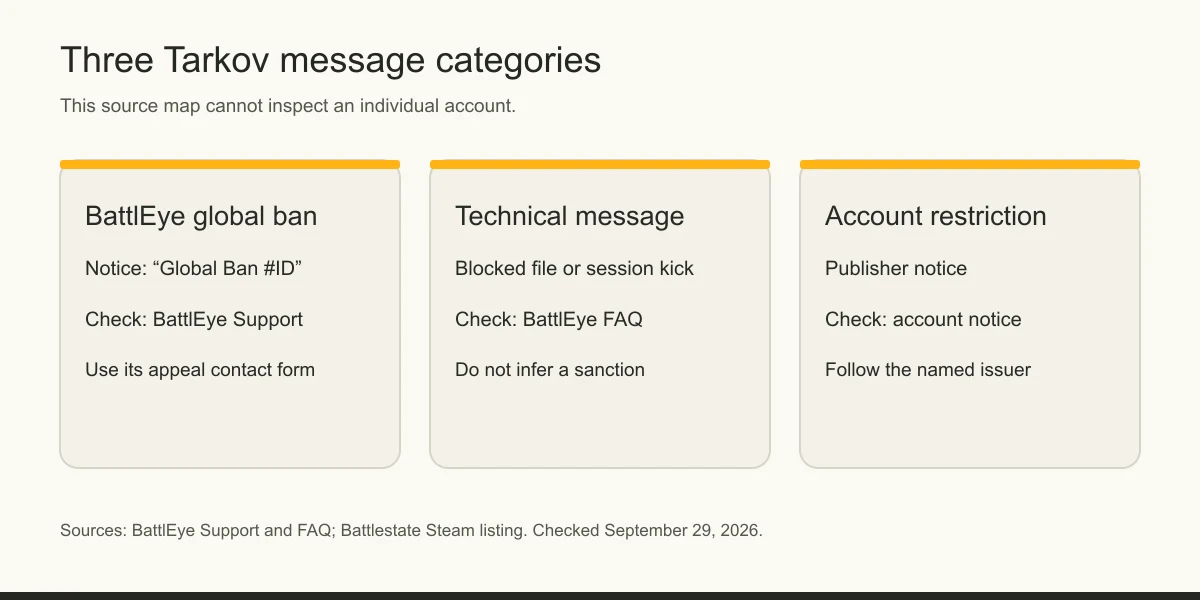
The decision table below is a reading aid, not an account-status checker. No public source reviewed here lets CheatsMatch inspect a reader's account.
| Notice wording or symptom | Published source meaning | First official place to check |
|---|---|---|
| “Global Ban #ID” | BattlEye's global-ban identifier | BattlEye Support and its contact form |
| “Blocked loading of file” | BattlEye says this message alone does not create ban risk | BattlEye FAQ |
| Query Timeout or version kick | BattlEye FAQ describes a technical kick | BattlEye FAQ |
| Battlestate account action named in a notice | The BattlEye global-ban route does not settle publisher review | The account notice and Battlestate's official support channel |
How does a BattlEye global-ban appeal work?
BattlEye global-ban appeals go through its contact page. BattlEye asks the player to include the exact global ban ID and the name of the game, or the game account identifier if no ID appears. It says appeals sent by other routes will not be processed and that duplicate submissions do not speed review. These are BattlEye's published instructions for a BattlEye global ban, not a universal Tarkov appeal route.
BattlEye says it will not disclose ban evidence. It also states that its global bans are permanent when cheating occurred. Those statements limit what a player should expect from the vendor's process; they do not tell us the status of any individual appeal. Use the official notice and form for this class of restriction.
For a comparison of sanction owners across PC games, the game ban appeals guide lists official routes. Its BattlEye entry should be read alongside the game-specific notice.
What if the restriction is on the Battlestate account?
A Battlestate account restriction needs to be checked against the account notice and Battlestate's own support information. The public BattlEye global-ban instructions do not establish that BattlEye issued every Tarkov restriction. At this review, Battlestate's rules and support pages could not be retrieved, so this guide cannot quote a current Battlestate appeal rule or promise that a particular account sanction is reviewable.
Start from the signed-in account's notice or the official support entry linked by Battlestate, and identify the exact restriction before submitting details. Do not put credentials, receipts or personal identifiers into public comments. A Steam profile label, where one exists, also does not identify the complete basis for a publisher account decision.
The broader game-bans guide explains why account, anti-cheat and platform labels can have different decision-makers. It does not substitute for Tarkov's current account notice.
Does Tarkov issue hardware bans?
The accessible official sources in this review do not establish Tarkov's hardware-ban criteria, duration or appeal route. The Battlestate Steam listing confirms BattlEye use, while BattlEye's public global-ban page explains what its own notice requires. Neither source states a Tarkov-specific hardware policy. A search result or community report is not a sound basis for telling a reader that a particular machine is restricted.
If the notice itself names a hardware restriction, follow the issuer identified there and ask its official support channel what review options apply. Avoid inferring a hardware ban from an inability to launch, a BattlEye service error or a new account's status. The BattlEye FAQ documents technical service and kick messages that have other explanations.
CheatsMatch has a game-specific hardware-spoofer comparison page, but it records provider-published compatibility claims, not proof of sanction relief. Its products do not form part of an official appeal process.
What can be verified about Tarkov ban waves?
A Tarkov ban-wave claim needs a dated statement from Battlestate or BattlEye before it becomes a count or schedule. No accessible primary source in this review establishes a current cadence, a number of accounts banned in a named wave or a prediction for the next one. The existence of an anti-cheat system does not supply those numbers.
BattlEye's public description says it combines preventive measures with bans, but it does not publish a Tarkov-specific calendar on the pages reviewed here. Treat social posts, tracker spikes and vendor marketing as leads to check, not as official measurements. We will update the date and count only when an accessible publisher or anti-cheat statement supports them.
For readers comparing game-specific enforcement systems, the anti-cheat directory identifies the documented role of each system. It is a source map rather than a live ban-wave tracker.
A short check before opening support
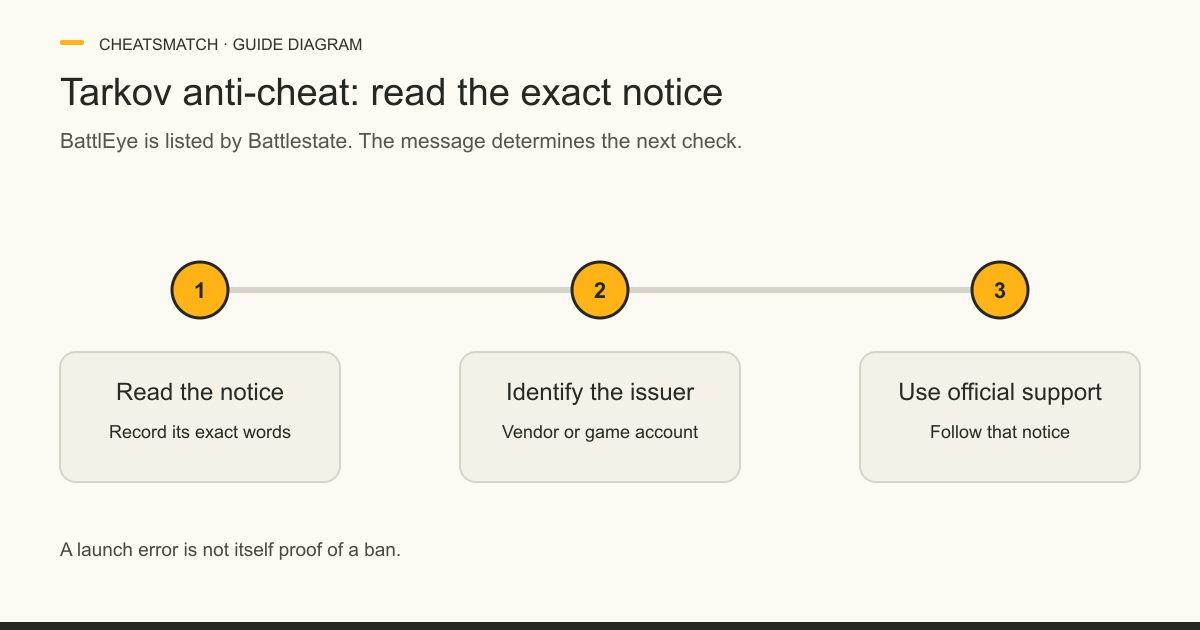
First, save the exact text of the notice and where it appeared. Second, identify whether it says BattlEye global ban, names a Battlestate account action, or reports a launch or session problem. Third, follow the official source for that category. BattlEye requires a global ban ID or game account identifier for its own appeal form; its FAQ handles common client errors. A Battlestate account decision belongs with the publisher's account notice and official support route.
This sequence does not diagnose the cause of an individual restriction. It prevents a generic “Tarkov ban” label from becoming an unsupported claim about hardware, evidence or appeal eligibility. Keep any support correspondence in the original account channel and check for policy updates before citing this page elsewhere.
Source scope and update date
This guide was checked September 29, 2026 against Battlestate's Steam listing and BattlEye's public support, FAQ and contact pages. Battlestate's own website did not return readable rules or support text to this review. That limits claims about game-specific enforcement, hardware restrictions and publisher appeals. The table is an interpretation of notice types, with each row tied to the cited source; it is not a support decision or a live account lookup.
Frequently asked questions
What anti-cheat does Escape from Tarkov use?
Battlestate Games' Steam listing names BattlEye. It does not provide a complete public description of all checks or enforcement criteria.
Can I appeal a BattlEye global ban in Tarkov?
BattlEye publishes a global-ban appeal process through its contact page. It asks for the global ban ID and game name, or the game account identifier if no ID appears. Eligibility and outcome depend on the notice and BattlEye's review.
Is a BattlEye launch error the same as a ban?
No. BattlEye's FAQ separately documents service errors, blocked-file messages and kicks. Read the exact message before choosing a support route.
Does Tarkov have hardware bans?
The official pages accessible for this review do not establish Tarkov's hardware-ban criteria. Check the wording of the account notice and the issuer's current official support information.
When is the next Tarkov ban wave?
No dated official schedule was available in the sources reviewed here. A tracker or social-media estimate is not a publisher announcement.
Sources and check dates
Numbers beside a fact or score refer to the sources below. Provider descriptions are claims, not independent product tests.
- Escape from Tarkov on Steam, publisher-managed listing · checked 2026-09-29
- BattlEye Support · checked 2026-09-29
- BattlEye FAQ · checked 2026-09-29
- BattlEye Contact · checked 2026-09-29
- BattlEye homepage · checked 2026-09-29