
What Is a HWID? How to Find Your Hardware ID on Windows
A HWID is a hardware identifier, but the term covers different values depending on who uses it. In Windows, Microsoft defines a Hardware ID as a vendor-defined string used to match one device to a driver package; a device can have more than one. A game publisher may use “HWID ban” for a restriction tied to a computer. As of September 29, 2026, Windows Device Manager can show a selected device's Hardware Ids, not a game's private ban criteria.
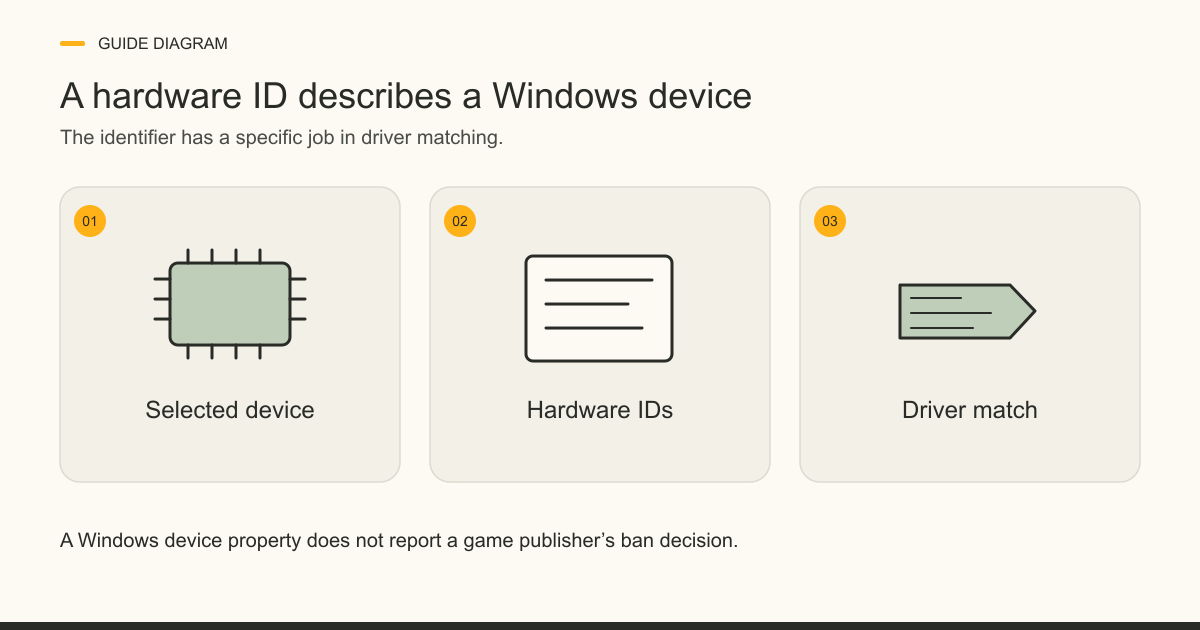
What a HWID means in Windows
A Windows Hardware ID is a vendor-defined string that helps Windows match a device with a driver package. Microsoft describes an ID for a device, not one universal number for an entire PC. The same device may report several IDs, usually ordered from most to least suitable for driver matching. “What is my HWID?” therefore needs a more precise question: which device and which identifier property?
In gaming, the same acronym also appears in discussions of hardware-linked restrictions and spoofer products. Those uses are related to hardware identity, but Microsoft's driver-matching definition does not explain a publisher's private enforcement checks. If you are comparing what products claim to change, the HWID spoofer hub records their published scope and limits separately from any ban outcome.
Where to find Hardware Ids in Device Manager
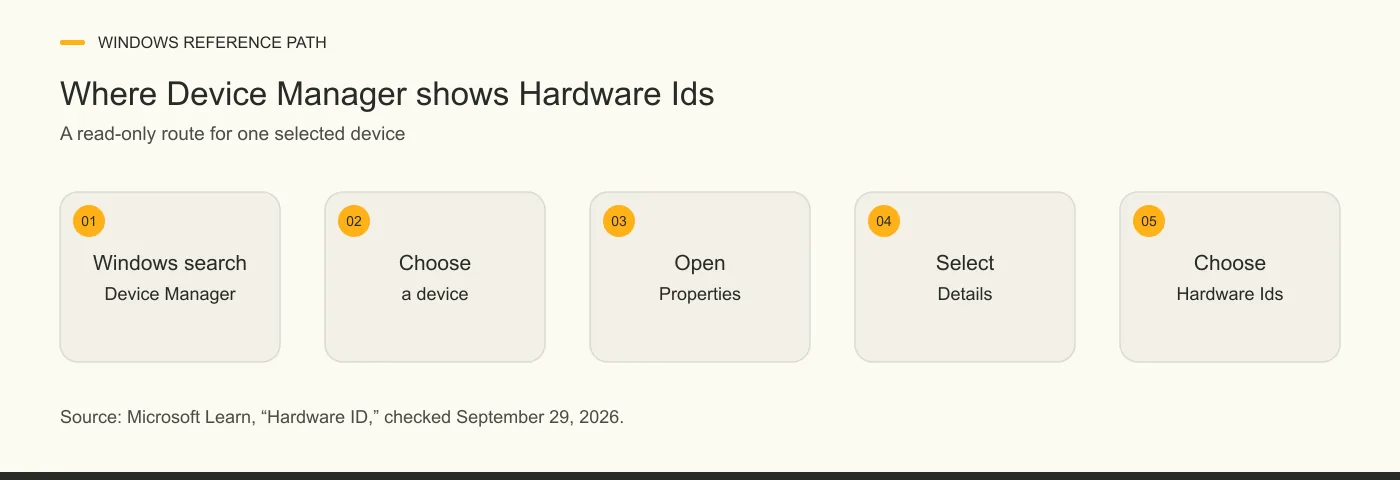
Windows Device Manager shows the Hardware Ids property for a selected device. Microsoft's documentation, updated November 1, 2025, gives a five-step read-only route:
1. Search Windows for Device Manager and open it. 2. Select the device you want to inspect in the device tree. 3. Open that device's Properties. 4. Select the Details tab. 5. Choose Hardware Ids in the Property list and read the values shown.
The selected device matters. Looking at a network adapter shows that device's property, not a complete summary of every component or a game's enforcement record. Microsoft also lists Compatible Ids in the same menu. It is a different property. Keep the property name with any note you make, or a copied string loses its context. You do not need to install a checker to follow Microsoft's path.
What a Hardware ID looks like
A Windows Hardware ID is a string, and its format depends on the device's enumerator. Microsoft gives PCI\VEN_1000&DEV_0001&SUBSYS_00000000&REV_02 as an example for a PCI device. It is an example from driver documentation, not an ID that identifies every computer. A value in your own Device Manager can look different and one device may have more than one value.
Microsoft tells developers to treat device identification strings as opaque strings for comparison. Reading a vendor-looking fragment from a sample does not turn the complete string into a reliable explanation of a game's hardware restriction. The important distinction for a reader is the property being viewed, not an attempt to decode every character.
How Windows identifier types differ
Windows uses several device identification strings for different jobs. Microsoft's December 19, 2024 Plug and Play documentation separates two driver-matching categories, Hardware IDs and Compatible IDs, from instance identifiers for particular installed device instances. A Container ID groups related device nodes. The table keeps those jobs separate from the looser phrase “HWID ban” used in game support.
The table describes Microsoft's Windows terms. It does not say that an anti-cheat reads each listed field, or that changing any one field would change a game decision.
| Term | What the source says | Visible in Windows? | What it cannot establish |
|---|---|---|---|
| Hardware Ids | Vendor-defined strings used to match a device with a driver package. | Device Manager's selected-device Details property. | A single ID for the whole PC or a publisher's ban status. |
| Compatible Ids | Additional device strings Windows uses when finding a driver match. | Device Manager offers a separate Compatible Ids property. | That the string is the same kind of value as the Hardware Ids property. |
| Instance and device instance IDs | Windows uses these to identify instances of installed devices. | These are distinct Windows device properties; the exact display route is not specified here. | That a game's private enforcement uses the same value. |
| Container ID | Groups one or more device nodes associated with a physical device. | This guide does not give a display route for it. | A universal computer-wide ban fingerprint. |
What HWID means in game enforcement
Riot Games uses “HWID ban” for a restriction it says targets a computer's physical components rather than only an account. Its May 31, 2026 support article also says an account ban and an HWID ban are different penalties. That explains Riot's use of the label; it does not establish how every game identifies a device.
The existing HWID-ban guide explains the restriction itself. The spoofer-definition guide explains what the product category claims to change. Neither a Windows Hardware Ids list nor a spoofer product description establishes that a publisher has changed an account sanction. Read the game publisher's own notice for the actual restriction on an account or computer. The Valorant HWID-spoofer page is the game-specific comparison route for product listings.
Sources: [3]
Why a displayed ID cannot diagnose a ban
The Hardware Ids property does not report a game's ban status. Microsoft's November 1, 2025 instructions show Windows properties for one selected device. Riot's May 31, 2026 HWID-ban support page explains a sanction and its account consequences, but that page does not enumerate the identifiers behind Riot's decision. These sources do not provide a method for identifying Riot's ban inputs from the Windows property.
A cross-game table should distinguish a documented policy from a player's guess, and date the official statement for each game. Use that policy record before assuming that a blocked login is a hardware ban.
What to check in a publisher's notice
A publisher's exact notice is the starting point for a ban question. Riot says a login attempt during an active HWID ban produces VAN 152. Its support article also describes asking Player Support to review an eligible case, without promising a reversal. A different launch failure or restriction should not be relabelled an HWID ban because a Windows device has a Hardware Ids value; Windows shows that property for devices regardless of any game notice.
Keep the code, game, and date with the notice when using the official support route. The dedicated VAN 152 guide covers Riot's error in detail, while this page stays with the identifier's meaning.
Frequently asked questions
Can one device have more than one Hardware ID?
Yes. Microsoft says a device usually has a list of Hardware IDs, with the most suitable entries first for driver matching. The list belongs to the selected device, not to a game account.
Is a BIOS serial number the same as a Windows Hardware ID?
No single Microsoft definition makes those terms interchangeable. The Hardware Ids property in Device Manager is the Plug and Play device-ID list used for driver matching. If a different Windows view shows a BIOS serial, label that value by its own property rather than calling it the same ID.
Can Device Manager show a game's ban fingerprint?
Microsoft's documented Device Manager route shows Windows Hardware Ids for a selected device. Riot's cited ban article does not disclose the full set of values it uses for enforcement, so that Windows view cannot confirm a game's private fingerprint or ban decision.
What does HWID mean in a Riot ban notice?
Riot uses HWID ban for a sanction it says targets the physical components of a computer, separately from account bans. Riot says an active HWID ban produces VAN 152 when a player tries to log in. Check Riot's current support article for the notice and official review route.
Sources and check dates
Numbers beside a fact or score refer to the sources below. Provider descriptions are claims, not independent product tests.
- Microsoft Learn: Hardware ID · checked 2026-09-29
- Microsoft Learn: Device identification strings · checked 2026-09-29
- Riot Games support: Understanding hardware ID bans · checked 2026-09-29