Which Anti-Cheats Work on Linux and Steam Deck?
Valve's Proton documentation names two anti-cheat middleware families it supports: Easy Anti-Cheat and BattlEye. Developers still have to enable or configure that support for each game. Valve also says kernel-space anti-cheat solutions are currently unsupported in Proton. Those platform rules do not establish whether a particular Windows game works on Linux or Steam Deck. This guide explains the difference and how to check a game's current Steam rating.
Proton support is a starting point
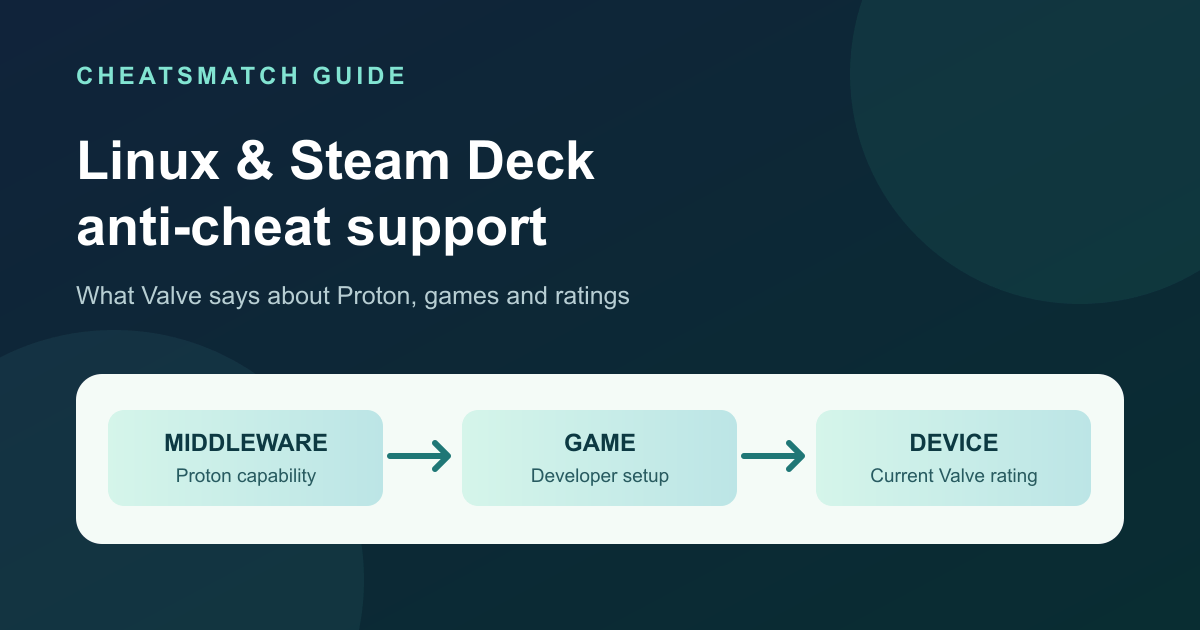
Proton lets Windows games run on Linux. Valve's Steamworks page says Proton supports some common anti-cheat middleware, including Easy Anti-Cheat and BattlEye. That describes a capability of the compatibility layer. It is not a compatibility promise for every game that uses either product.
Linux is the operating-system family, SteamOS is Valve's Linux-based operating system, and Steam Deck is a device. A native Linux version and a Windows version run through Proton can have different requirements. For a specific game, use its current publisher guidance and Valve's compatibility rating for the device you intend to use. A Steam Machine rating, where available, is separate from the Steam Deck rating.
The anti-cheat directory describes named systems. It does not test whether a game runs under Proton.
Middleware support versus game support
The table summarizes Valve's Proton documentation. Its rows describe requirements at the middleware level, not a list of playable games. Valve says Easy Anti-Cheat needs developer enablement for a game build and BattlEye needs a configuration step for each title. Valve recommends user-space anti-cheat components and says kernel-space solutions are currently unsupported in Proton.
This is a platform summary checked September 29, 2026, rather than a dated roster of game results. Each game's publisher and Valve rating remain the sources for its current status. The game directory lists PC game comparison pages, but its provider-reported product listings do not measure Linux compatibility.
| Anti-cheat layer | Valve's Proton statement | What that establishes |
|---|---|---|
| Easy Anti-Cheat | Proton support exists; a developer must enable it for the game build. | Product support alone does not verify a game's Linux or Steam Deck playability. |
| BattlEye | Proton support exists; each game requires a developer configuration step. | Another game's support does not establish this title's status. |
| Kernel-space anti-cheat | Valve says these solutions are currently unsupported in Proton. | The limit applies to Proton; it is not a verdict on every native Linux game. |
Sources: [1]
Easy Anti-Cheat needs game enablement
Valve says Easy Anti-Cheat can work with Proton, but a developer must enable support for the game's build. Seeing Easy Anti-Cheat named on a game's store page or in an anti-cheat directory cannot establish whether that step was taken. It also cannot establish that the whole game meets Steam Deck's controls, display and functionality criteria.
Check the game's current Steam Deck compatibility detail and any publisher statement for that specific title. If neither provides a clear answer, leave its status unconfirmed. The Fortnite comparison page, for example, is a product catalogue page; it should not be treated as a Steam Deck compatibility test.
BattlEye needs title configuration
Valve similarly says BattlEye support in Proton requires a configuration step for each game. The presence of BattlEye on one working title therefore cannot establish support for another. A publisher may change its game, anti-cheat setup or support policy after a compatibility report was posted.
Use the current Steam compatibility detail for the exact game and device, then check for a current developer announcement if the rating or a third-party report is ambiguous. Do not turn a community compatibility report into an official guarantee.
The kernel-space limit in Proton
Valve's Proton documentation recommends user-space anti-cheat components and states that kernel-space solutions are currently unsupported in Proton. Proton runs a Windows game in a Linux environment; the statement is about that compatibility path. It does not say every game with a kernel component is impossible to play through every other release path, or identify the implementation of a particular title.
If a publisher requires a Windows kernel component for its Windows build, check whether the publisher offers and supports a separate Linux build before drawing a game-level conclusion. A store badge can tell you the present device rating, but a badge alone may not explain the underlying technical cause.
Read Steam compatibility ratings carefully
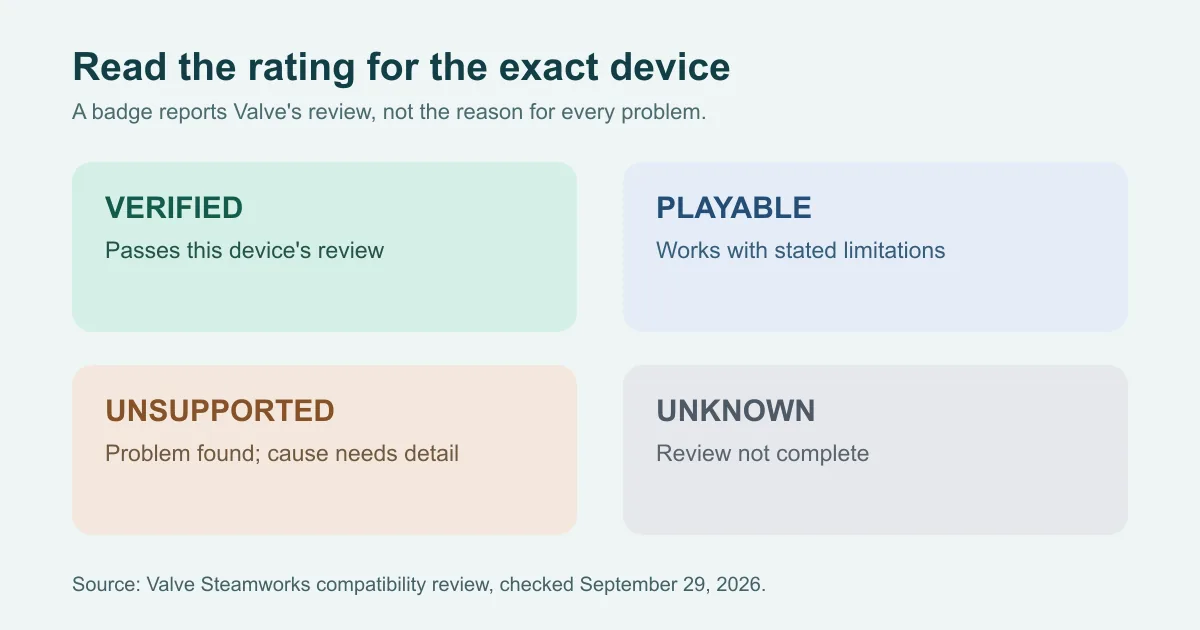
Valve publishes separate Steam Deck and Steam Machine compatibility ratings in Steam. Verified means the game passes Valve's review criteria for that device. Playable means it works but may require extra user steps or have a less ideal experience. Unsupported means Valve found that the game does not currently work on that device. Unknown means the review is incomplete; it is not proof that the game fails.
Valve says unsupported middleware, including some anti-cheat providers, can cause an Unsupported rating. Proton functionality can also be the cause. An Unsupported badge therefore does not diagnose anti-cheat on its own. Read the accompanying compatibility detail and the publisher's current advice. A rating may change after an update or another review.
| Steam rating | Reading for this guide |
|---|---|
| Verified | Valve's review criteria are met for the specified device. |
| Playable | The game works on that device with stated limitations or extra steps. |
| Unsupported | Valve found a current compatibility problem; the badge alone does not identify anti-cheat as its cause. |
| Unknown | Valve has not completed a review; no playability conclusion follows. |
Sources: [2]
Check each game's current status
Start with the game's Steam store compatibility section for the exact device. Read the detail behind its rating, including any stated reason for Unsupported or limitation for Playable. Then consult the game's developer or publisher support page for Linux, SteamOS and anti-cheat statements. Check the dates of both. If a report conflicts with current official guidance, describe the conflict rather than promise a result.
The guide to evaluating provider claims explains why seller status labels need their own evidence. Neither a seller's compatibility claim nor a CheatsMatch catalogue listing establishes that a protected game works on Linux. This page was source-checked September 29, 2026; individual game ratings can change afterward.
Frequently asked questions
Does Easy Anti-Cheat work on Steam Deck?
Valve says Proton supports Easy Anti-Cheat when a game developer enables it for the build. That product-level support does not confirm a particular game's Steam Deck rating. Check its current Steam detail and publisher guidance.
Does BattlEye work on Linux?
Valve documents BattlEye support in Proton, with configuration needed for each game. This concerns Windows games using Proton. A game's own support and device rating still need checking.
Does Unsupported mean anti-cheat blocked a game?
Not necessarily. Valve says unsupported middleware can cause that rating, but Proton functionality can also cause it. The badge alone does not identify the reason.
Does Unknown mean a game cannot run on Steam Deck?
No. Unknown means Valve has not completed the compatibility review. Look for a current publisher statement and wait for a specific rating before treating playability as established.
Sources and check dates
Numbers beside a fact or score refer to the sources below. Provider descriptions are claims, not independent product tests.
- Valve Steamworks: Steam Hardware and Proton · checked 2026-09-29
- Valve Steamworks: Steam Deck and Steam Machine Compatibility Review · checked 2026-09-29